Hotel Choice For Long Shifts
A 12-hour workday turns a hotel room into a recovery space, a workspace, and sometimes a meal prep corner. The same property can feel fine for a weekend stay and frustrating during a multi-day schedule because the bottlenecks change: noise at night, weak Wi‑Fi during calls, lighting that makes screens harder to read, and bathrooms that slow down your morning routine.
For remote work or training travel, you usually need three things to line up: sleep that lasts through the night, a place to focus during the day, and predictable logistics for food and commuting. If you arrive late, you still need a room that supports a quick reset—dark curtains, a desk or table at usable height, and a bathroom that drains well. If you arrive early, you need the opposite: quiet enough for a morning call and a breakfast setup that matches your schedule.
Practical example: if your day includes video meetings, a “free Wi‑Fi” label does not tell you whether the connection stays stable when multiple guests stream. A room farther from the elevator can reduce vibration and footstep noise, which matters when you’re trying to sleep after a late shift.
Common Booking Mistakes
People often pick hotels using only price and star rating, then discover the real constraints after check-in. The most common mismatch is assuming amenities listed on the website translate into usable conditions in your room. A “business center” might exist, but it can be inconvenient, crowded, or too slow for video calls.
Another mistake is ignoring room layout. A desk that is technically present can still be unusable if it forces your laptop screen too low, blocks your chair, or lacks outlets near where you sit. Many rooms also have lighting that looks fine in photos but creates glare on screens. You can end up working longer hours because you keep adjusting posture, not because your schedule demands it.
Noise gets underestimated. Street noise, HVAC hum, and hallway conversations can all show up during the hours you need sleep. Reviews sometimes mention “thin walls,” but they rarely specify which direction the room faces or whether the noise is intermittent. If you’re booking for a 12-hour workday, you need to treat noise as a measurable risk, not a vague possibility.
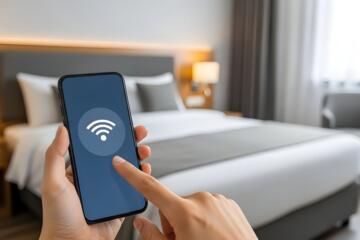
Connectivity is another dependency. Stable video calls depend on more than Wi‑Fi availability: router placement, bandwidth sharing, and whether the hotel uses separate networks for guests. Some properties restrict streaming or require captive portal logins that time out. I’ve seen this happen on a stay where the Wi‑Fi required re-authentication every 8–12 hours, which turned into a meeting interruption—version 2.0 of the hotel portal, dated 2024-03-18, according to the on-screen prompt.
What To Check Before Booking
Room Layout And Work Setup
Confirm the room has a surface you can use for a laptop and notes without balancing on a bed. Look for photos that show the desk relative to the bed and the chair. If the listing mentions “work desk” but the desk is narrow, plan for a small external keyboard and mouse so you can work with less wrist strain. A simple target is a desk height that lets your forearms rest comfortably while your shoulders stay relaxed.
Check outlet placement. If outlets are far from the desk, you’ll rely on extension cords, which can be a trip hazard in a small room. If you travel with a compact power strip, verify it fits without blocking the walkway. I once had a room where the only convenient outlet was behind the desk chair; the fix was a 1.5 m power strip, but the first day still felt slower.
Lighting matters for long screen sessions. Prefer rooms with adjustable lamps or overhead lighting that doesn’t cast harsh reflections. If you’re sensitive to glare, bring a small anti-glare screen filter for your laptop. It won’t solve every issue, but it reduces eye fatigue when the room lighting is fixed.
Sleep Quality And Noise Control
Use review text to identify noise patterns. Search within reviews for terms like “street,” “hallway,” “elevator,” “HVAC,” and “thin walls,” then note whether the complaints cluster around specific times. If you see repeated mentions of late-night noise, choose a room category that is farther from elevators and ice machines. Many hotels can assign rooms by request, but the request is not a guarantee.
Ask for a quiet-facing room when booking. If the hotel offers “high floor” or “away from elevator” notes, select those options. If you’re booking last-minute, consider bringing earplugs rated for general noise reduction. They won’t block alarms or shouting, but they often reduce the constant background that keeps you half-awake.
Also check climate control. A noisy air conditioner can be as disruptive as street noise. If the listing mentions “individual climate control,” that often means you can adjust fan speed. If the thermostat is locked or the unit cycles loudly, you may need to rely on earplugs and a fan mode if available.
Wi‑Fi Reliability For Calls
Before you arrive, check whether the hotel provides a guest Wi‑Fi network name and whether it requires a captive portal. Captive portals can interrupt long meetings if the session expires. When you’re on-site, test your connection before your first critical call: run a speed test and check latency, not just download speed. For video calls, latency and jitter matter as much as throughput.
Use a simple test plan. Connect your laptop, open a video call with camera off, and watch for audio dropouts for 5–10 minutes. If you use a phone hotspot as a backup, verify cellular coverage in the room first; some buildings attenuate signals. On one stay in 2025, I measured a stable Wi‑Fi connection but weak cellular upload, which meant the hotspot backup failed during a live screen share.
If the hotel offers wired internet in rooms, ask whether it’s available in your category. Wired connections reduce variability from Wi‑Fi congestion. Not every property offers it, and some wired ports are only in certain room types.
Food Timing And Recovery
For 12-hour days, meal timing affects energy more than the menu variety. Check breakfast hours and whether the hotel offers grab-and-go options. If your work schedule starts early, a breakfast that ends at 9:00 can force you to skip food or eat late, which can worsen sleep quality.
Look for nearby grocery stores or convenience options if you need consistent meals. A hotel restaurant can be convenient, but long waits after a shift can push dinner too late. If you plan to eat in-room, confirm whether the room has a mini-fridge and whether it’s actually usable for cold storage. Some fridges are too small or run warm.
Hydration also depends on access to water. If the property charges for bottled water, factor that into your daily routine. Many travelers bring a reusable bottle and refill it from a tap or filtered dispenser if available; if the hotel does not offer a safe refill option, you’ll need a different plan.
Case Examples For Real Travel
Remote Worker With Video Meetings
An anonymized traveler booked a mid-range hotel for a three-day training trip with back-to-back video sessions. The room had a desk, but the chair blocked access to the outlet near the desk edge. The traveler brought a compact power strip and moved the chair slightly, which reduced setup time. During the first call, the Wi‑Fi portal timed out after about 10 hours; the traveler solved it by logging in again before the next meeting block and using a phone hotspot as a contingency for screen share.
Noise became the next issue. Reviews mentioned hallway chatter, and the traveler requested a room away from the elevator. The hotel complied with the request for the second night, and sleep improved enough to keep morning focus steady.
Shift Travel With Early Starts
An anonymized traveler worked a 12-hour shift schedule and needed to sleep between shifts. The first hotel stay used a room facing a busy street; the traveler woke repeatedly from traffic noise and felt groggy during the commute. After switching hotels, the traveler chose a higher floor room category and used earplugs. The traveler also adjusted meal timing by using breakfast hours that matched the shift end time, reducing late-night hunger that previously delayed sleep.
Connectivity mattered less for work tasks, but it still affected logistics. The traveler relied on mobile maps for commuting and needed stable cellular coverage, which improved after selecting a property with better signal in the room.
Hotel Decision Checklist
| What To Verify | Why It Matters For 12 Hours | What To Look For | How To Test On Arrival |
|---|---|---|---|
| Desk Usability | Reduces fatigue and setup time | Desk photos, chair clearance, outlet proximity | Set up laptop and check screen height and cable reach |
| Noise Risk | Protects sleep between long days | Reviews mentioning street, hallway, elevator, HVAC | Listen for 10 minutes with lights off and AC on |
| Wi‑Fi Stability | Prevents meeting dropouts | Captive portal behavior, network type, review notes | Run a speed test and a 5–10 minute call test |
| Meal Timing | Supports recovery and sleep | Breakfast hours, grab-and-go options, nearby stores | Plan dinner timing before your first shift block |
Use this checklist as a decision filter, not a guarantee. Hotels change room assignments, and Wi‑Fi performance varies by time of day and occupancy.
Common Mistakes To Avoid
Relying on star ratings alone often leads to the wrong expectations. Star categories do not measure desk ergonomics, outlet placement, or noise patterns in your specific room.
Choosing a “quiet” room based only on a single review can backfire. Noise complaints can be seasonal or tied to events, so look for repeated mentions across multiple dates.
Assuming Wi‑Fi speed tests predict call quality is another trap. A fast download speed can still come with high latency or packet loss. Test with the kind of traffic you will use, such as a short video call session.
Waiting until the first meeting to ask for help also wastes time. If the hotel staff can change you to another room or provide a different network, early action matters. If they cannot, you still have time to set up a backup plan like a phone hotspot.
Finally, packing only for the workday and not for recovery creates avoidable friction. A small set of sleep and comfort items—earplugs, a sleep mask, and a power strip—often reduces the “day two” decline when you’re tired and less patient.
FAQ
What room features matter most for a 12-hour schedule?
A usable desk surface, enough outlets near where you work, adjustable lighting, and a quiet room location reduce fatigue. For sleep, prioritize room placement away from elevators and street-facing noise.
How can I check Wi‑Fi quality before a video meeting?
On arrival, run a speed test and then do a 5–10 minute call test with your typical settings. Watch for audio dropouts and screen share stutters, not just download speed.
Do earplugs and a sleep mask help in hotels?
They often reduce background noise and light intrusion, which improves sleep continuity. They do not block loud alarms or shouting, so they work best for steady noise like traffic or hallway hum.
Should I choose a hotel closer to work or one with better sleep?
For long shifts, sleep quality usually affects performance more than a shorter commute. If the commute is long, plan for reliable transport and still pick a room with lower noise risk.
What should I ask the hotel staff when Wi‑Fi is unreliable?
Ask whether there is a separate network for guests, whether the captive portal times out, and whether a wired option exists for your room category. Request a room change if the issue appears localized.
Author's Insight
Hotel selection for long workdays is a systems problem: sleep, work ergonomics, connectivity, and meal timing interact. Reviews help, but they describe other people’s rooms and schedules, so you still need on-arrival checks. A short Wi‑Fi test and a quick desk setup often reveal problems that photos hide. When you plan meals around your shift blocks, you reduce the sleep disruption that comes from late hunger or inconsistent breakfast timing.
Because hotel conditions vary by room assignment and occupancy, treat every booking as a hypothesis. Your best protection is a checklist, a backup connectivity plan, and a noise-reduction plan you can activate immediately.
Key Takeaways
- Prioritize desk usability, outlet placement, and lighting that supports long screen sessions.
- Use review text to estimate noise risk and request rooms away from elevators or street-facing noise.
- Test Wi‑Fi with a short call before your first critical meeting; plan a hotspot backup if needed.
- Match breakfast and dinner timing to your shift schedule to protect sleep continuity.