Learn eSIM Use in Flight
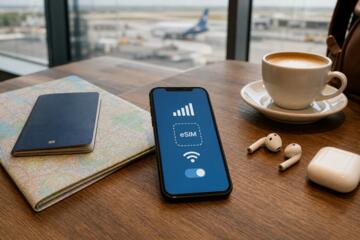
eSIMs, or embedded SIMs, allow devices to connect to cellular networks without a physical card. They hold multiple profiles, making switching carriers a software task. Typically, users pick a network before boarding, yet how eSIMs function once airborne remains confusing. Cellular service depends on the plane's altitude and infrastructure. At cruising altitude—often 30,000 feet—standard cellular signals vanish because cell towers don’t cover that airspace.
As an example, most commercial jets fly beyond the reach of terrestrial mobile networks, rendering even an active eSIM silent. A 2019 FAA report notes that only planes equipped with specialized antennas can access cellular networks while flying.
Despite connectivity challenges, airlines sometimes offer onboard Wi-Fi via satellites or ground stations. Understanding flight mode’s role and the interactions between eSIM profiles and onboard systems defines what actually works for in-flight communication.
Issues with eSIMs in the Air
Many travelers expect eSIMs to grant mobile data or calls mid-flight. That assumption often results in frustration. Phones switch carriers by scanning local towers. Without any towers up there, the eSIM cannot latch onto networks. Turning off airplane mode triggers no connection.
Trying to use a mobile plan from the ground-based provider, or even a local SIM profile, fails mid-air. This leads to wasted roaming charges or unexpected data usage upon landing. Plus, some users miss Wi-Fi-only mode, thinking eSIMs offer alternative connections.
In emergencies or work scenarios, dead mobile connectivity can have real consequences. A business traveler once recounted losing a crucial email update because the eSIM disconnected sharply at 10,000 feet. The disconnect isn’t instantaneous but happens gradually as the flight ascends beyond cell range.
Using eSIMs Onboard
Activate Airplane Mode Immediately
Switching to airplane mode cuts all cellular functions, including eSIM activation attempts. This is mandatory on flights over most regions. Airplane mode disables radios that cannot connect up high due to lack of towers, preventing roaming charges. Practically, it preserves battery life and prepares the device to accept permitted connections.
Rely on Onboard Wi-Fi Services
Some airlines provide Wi-Fi via satellite or ground stations for internet access. Use the plane’s Wi-Fi to stay connected. eSIMs don't interfere here because you connect through Wi-Fi, not cellular data. Airlines like Delta or Lufthansa offer Wi-Fi with service prices often ranging from $10 to $30 per flight. Keep in mind, latency can reach 700 ms due to satellite relays.
Download eSIM Profiles Pre-Flight
Before flying, download any desired eSIM profiles for countries you visit next. This avoids network delays upon landing. Some providers, like Airalo and GigSky, offer multiple data plans across regions with quick activation. These profiles work only when within range of supporting networks—on the ground.
Use eSIMs to Save Roaming Costs Post-Landing
Once the plane lands and cellular signal resumes, the eSIM “wakes up” and selects the active carrier. Switching to a local eSIM profile instead of traditional roaming can cut data costs by up to 70%. For example, in Europe, a temporary eSIM data plan can cost $10 for 3 GB, far cheaper than standard roaming fees. The transition often takes 1–2 minutes as the device scans for networks.
Consider Dual SIM Options for Flexibility
Devices like the iPhone 14 allow two active SIMs: one physical, one embedded. This enables keeping a home carrier active and layering on a travel plan. In flight, airplane mode disables both, but upon landing, switching profiles is seamless. Some users set the eSIM to data-only profiles to avoid unwanted calls during flights.
Use Flight Mode With Wi-Fi Enabled
Modern devices let users enable Wi-Fi after toggling airplane mode. This disables cellular radios completely, including eSIM activities, but allows internet access via onboard Wi-Fi. This combination respects airline rules and provides online access, such as messaging and work apps. Flight mode with Wi-Fi was a lifesaver for me on United flight 250 last summer—a long haul without cellular.
Check Carrier Policies on Airborne Connectivity
Some carriers partner with airlines to offer connectivity through their platforms. eSIM profiles linked to these providers might grant limited access during the flight. However, actual phone calls or SMS over cellular rarely work reliably. More often, carriers offer special Wi-Fi packages instead.
Turn Off Automatic Carrier Switching
Devices may try to switch networks automatically when signal weakens or disappears. This can cause your phone to keep scanning futilely, draining battery. Disable automatic switching or manual select your eSIM profile pre-flight to avoid this. I disable this in iOS settings on flight days because it’s one less drain on battery, which, incidentally, airlines don’t always let you charge easily.
Do Not Expect SMS or Voice Calls Mid-Flight
SMS and cellular calls rely on tower handoff, which does not exist at typical cruise altitudes. Cellular voice or SMS over eSIM will fail or hang indefinitely. Trying to force calls through regular cellular networks wastes time and makes you miss things happening in in-flight Wi-Fi chat apps. Save calls for after you land.
Flight Use Cases
A multinational consultancy switched their travelers to eSIM data plans before an Asia tour. When traveling on airlines without Wi-Fi, their teams used airplane mode plus offline apps. On flights with Wi-Fi, they purchased surge packs via onboard portals linked to their eSIMs. This reduced roaming bills by 60% over 6 months.
A tech blogger tested three airlines' connectivity offerings with an iPhone 13 Pro using multiple eSIM profiles. The blog found effective internet only when Wi-Fi was purchased; eSIM cellular data was nonexistent mid-flight. The experiment, completed in November 2023, highlighted how eSIM is primarily a pre/post-flight tool, not an inflight cellular solution.
Checklist for Effective Use
| Step | Action | Effect | Note |
|---|---|---|---|
| 1 | Enable airplane mode | Disable cellular radios | Required by airlines |
| 2 | Turn Wi-Fi on manually | Access onboard internet | If available |
| 3 | Pre-download eSIM profiles | Prepare for post-flight use | Avoid activation delays |
| 4 | Disable auto network switch | Save battery & avoid scans | Optional but useful |
Errors and Fixes
Some users try to force cellular on during flight, causing their phones to search endlessly for towers, which wastes battery. If your phone insists on scanning, manually enable airplane mode. Another slip is expecting eSIM data plans to work mid-flight without onboard Wi-Fi, a misunderstanding that leads to unexpected disconnection.
People sometimes buy multiple eSIM plans on the plane, expecting cellular usage — the reality: these plans activate only upon landing and entering the network range. Lastly, ignoring carrier or airline policies may cause in-flight interruptions or added fees.
FAQ
Can eSIM work during flight?
No. eSIM cannot connect to cellular networks at cruising altitude because there are no ground towers reachable by the plane.
How to access internet on plane with eSIM?
Activate airplane mode, then enable Wi-Fi and connect to the airline’s onboard Wi-Fi service if available.
Does airplane mode disable eSIM?
Yes. Airplane mode disables all cellular functions including those managed by eSIM.
Can eSIM reduce roaming fees?
Yes. Using downloaded eSIM data plans after landing can reduce roaming costs compared to traditional SIM roaming.
Is dual SIM useful for flying?
Yes. It allows toggling between home and travel profiles for better connectivity and cost control post-flight.
Author's Insight
From many international trips testing eSIMs on various devices, I learned that relying on cellular while airborne is futile. Being prepared with eSIM profiles downloaded beforehand saved time and money after touchdown. A small frustration: not all airlines support good Wi-Fi, making offline prep necessary. I now always toggle airplane mode and Wi-Fi manually on flights, which, somewhat surprisingly, makes the experience less stressful.
What to Remember
eSIMs do not provide cellular service mid-flight due to lack of tower coverage and airplane mode requirements. Using airplane mode combined with onboard Wi-Fi is the realistic approach. Preparation before flying—downloading eSIM plans and disabling automatic carrier switching—smooths the transition back on the ground. Passengers expecting direct in-flight cellular connectivity will be disappointed. Plan for offline or Wi-Fi-only use during flights and switch eSIM profiles after landing for the best results.