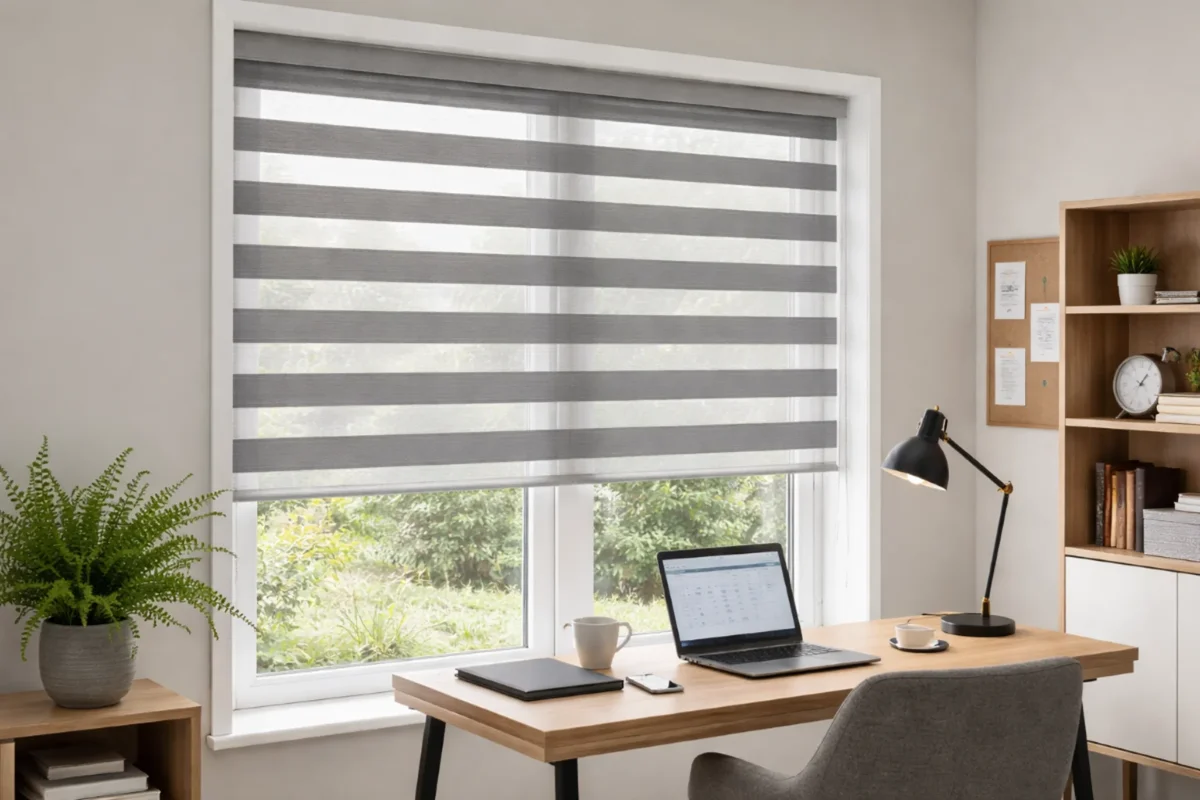
Blackout Blinds For Work
Blackout blinds are window coverings designed to block most visible light, which helps remote workers reduce screen glare and maintain steadier lighting for video calls. In a home office, the goal usually looks simple: fewer reflections on a monitor, less brightness behind you on camera, and fewer distractions from early morning or streetlight spill. The catch is that “blackout” claims vary, and performance depends on how the blind seals around the window frame, how it’s mounted, and how your room is laid out.
For example, a roller blackout blind that stops short of the frame can still leak light along the sides. A cellular shade can feel dark when you look at it head-on, yet still let a thin band of daylight through at the top. If you work with a laptop, that side leakage often shows up as a bright edge on your screen, and it rarely fixes itself after installation.
Before you buy, treat blackout blinds like a system: the fabric’s light-blocking rating, the mounting type, and the window geometry work together. If you measure wrong or choose the wrong mounting depth, you end up with gaps that no fabric can fully compensate for.
Main Problems And Pain Points
People often assume blackout means “no light,” then get surprised by daylight leaks. The most common failure points are gaps at the edges, imperfect alignment, and blinds that don’t sit flush against the window trim. Even a small gap can matter when you use a webcam, because cameras expose for the brightest area in the frame.
Another frequent issue is confusing blackout with “room darkening.” Many products marketed for bedrooms still allow enough light for a workday glare problem, especially near sunrise or sunset. Light control also changes with angle: a blind that looks dark at noon can still show reflections when the sun hits from the side.
Supporting technologies matter too. If you use smart lighting, motion sensors, or a desk lamp with a high color temperature, the overall contrast on camera changes even when the window is blocked. A monitor’s brightness and anti-glare coating also affect how much glare you notice. In practice, you may need to tune monitor settings after installing blinds, because the lighting balance shifts.
What To Check Before Buying
Light Blocking And Ratings
Look for a measurable light-blocking claim, not just a marketing term. Some brands describe “blackout” as blocking 90% or 99% of light, while others use different test methods. If the listing provides a test standard or a percentage, compare it across options. If it only says “blocks light,” treat it as uncertain.
Ask how the blind handles edge leakage. A product may block light through the fabric but still leak around the headrail or side guides. If the window has deep trim, a surface-mounted roller can leave a visible gap behind the fabric when it rolls up or down. I’ve seen this in a small apartment office where the window recess measured about 2 cm; the first blind looked dark, yet a thin daylight line appeared along the inner corner after installation.
Also check whether the blind is meant to be fully closed during work. Some designs are optimized for privacy rather than full closure, and the fabric can shift when you pull it. A quick test after installation should include checking daylight at the top, sides, and corners with the blind fully lowered.
Fit, Mounting, And Gaps
Measure the window opening and the surrounding trim depth. Decide whether you want inside-mount or outside-mount. Inside-mount blinds often seal better around the frame, but they require enough depth for the headrail and brackets. Outside-mount blinds can cover awkward recesses, yet they need careful sizing to avoid leaving a perimeter gap.
Check mounting hardware compatibility with your window. If you have uPVC or painted wood trim, confirm whether the brackets require drilling and whether the manufacturer offers non-drill options. Non-drill mounts can work, but they can shift slightly under tension, and that shift can reopen gaps over time.
Pay attention to how the blind behaves when you partially lower it. Many roller systems have a slight roll thickness, so the fabric edge can move away from the frame at intermediate positions. If you plan to use “half closed” settings during calls, test those positions, not only the fully closed state.
One small aside: if you use a smart home hub like Home Assistant (I tested a setup on 2024-11-02), motorized blinds can be scheduled, but the schedule doesn’t fix a mechanical gap. You still need the physical seal to be right.
Heat, Ventilation, And Comfort
Blackout blinds can change the room’s thermal behavior. Fabric that blocks light also blocks some radiant heat, which can reduce heat gain in summer but increase heat retention near the window in winter. If you work near the window, that effect can influence how often you run a fan or adjust HVAC.
Check whether your window has any ventilation strategy. In many homes, trickle vents or mechanical ventilation provide fresh air. If you close blinds tightly and also close vents, you can end up with higher CO2 levels and a stuffy feeling. That doesn’t come from the blind itself, but from the combined closure of openings.
For comfort, consider the blind’s color and fabric thickness. Darker fabrics usually block more light, but they can absorb more heat. If you live in a hot climate, you may prefer a lighter blackout fabric that still meets your light-blocking needs. The trade-off is that some lighter fabrics allow more stray light, so you should test for glare on your specific screen.
Testing For Glare And Camera Exposure
After installation, test with your actual work setup. Use the same monitor brightness and the same webcam position you use during calls. Then check three conditions: daylight on, blinds fully closed, and blinds partially closed. If you use a laptop, tilt the screen slightly and watch for reflections along the bezel.
For camera exposure, do a short test call with a friend or a second device. Cameras often expose to the brightest area behind you, so even a small bright strip can cause your face to look darker. If you see that effect, adjust blind position or add a secondary light source in front of you rather than relying on the window alone.
Measure glare subjectively and with a simple method. If you can, take a photo of your screen with the blinds closed; compare it to a photo with blinds open. The photo often reveals reflections you don’t notice in real time.
Case Examples For Real Rooms
Small Apartment Corner Office
A remote worker set up a desk facing a corner window with a narrow recess. They bought an inside-mount blackout roller sized to the recess, then noticed a bright vertical line on the left edge during morning calls. The blind fabric blocked most light, but the headrail brackets sat slightly proud of the trim, leaving a thin side gap. The fix involved switching to an outside-mount option with wider coverage and adding a light-sealing strip at the side. After that, the webcam exposure stabilized and screen reflections dropped.
House With Large Bay Window
A second scenario involved a bay window with three sections and a desk placed near the center pane. The worker installed blackout shades on two panes but left the third pane uncovered because it “looked dark enough.” During late afternoon, the uncovered pane created a strong reflection on the monitor and a bright background behind them on camera. They replaced the missing covering and adjusted the monitor angle. The improvement came from controlling the brightest direction, not from increasing the blind darkness on the already covered panes.
Comparison Checklist
| What To Check | What Good Looks Like | Common Failure | How To Verify |
|---|---|---|---|
| Light-blocking claim | A percentage or test method, not only “blackout” wording | Room-darkening fabric marketed as blackout | Compare specs across products; test with blinds fully closed |
| Edge sealing | No visible daylight at top, sides, and corners | Gaps from wrong mount depth or misalignment | Check with a phone flashlight from the side |
| Partial closure behavior | Consistent coverage at the positions you use | Fabric shifts, revealing a bright strip | Test at 25%, 50%, and 100% closed |
| Ventilation impact | Room stays comfortable without frequent window opening | Stale air after closing vents and blinds | Use existing ventilation; monitor comfort during work blocks |
- Measure window width and height plus trim depth; decide inside vs outside mount based on bracket clearance.
- Compare light-blocking claims across products using the same basis (percentage or test method).
- Plan for edge sealing: check whether the system includes side guides, tension, or a headrail that sits flush.
- Confirm mounting method and whether it requires drilling; verify compatibility with your trim material.
- After installation, test fully closed and partially closed positions using your webcam view and monitor reflections.
- Adjust monitor brightness and angle after blinds go in; glare reduction often needs both.
Common Mistakes To Avoid
Buying a blackout blind without checking mounting depth is the fastest route to disappointment. A blind that fits the opening on paper can still leave a perimeter gap if the headrail sits too far forward or the brackets don’t align with the trim.
Another mistake is ignoring how you work. If you do calls with your desk facing the window, you need coverage that blocks the brightest direction behind you. Covering only one pane in a multi-pane window can still create a bright background and reflections.
People also over-focus on fabric thickness and under-focus on fit. Two blinds with similar “blackout” claims can behave differently because one seals around the edges and the other relies on the fabric alone.
FAQ
Do Blackout Blinds Eliminate Screen Glare?
They reduce glare when they block the brightest light source, but glare can persist if the blind leaves edge leaks or if the monitor angle still reflects ambient light. Testing at your typical work hours shows whether the window is the main glare source.
What Measurements Matter Most?
Window width and height plus trim depth determine inside-mount fit, while outside-mount fit depends on how much overlap covers the frame. Measure at multiple points because older windows can be slightly out of square.
Are Motorized Blackout Blinds Worth It?
Motorization helps with timing and repeatable positions, but it does not fix poor sealing. If you choose motorized blinds, verify the physical fit first, then confirm the control system supports your preferred schedules.
Can Blackout Blinds Make Rooms Too Hot?
They can change heat gain and retention near the window. The effect depends on fabric color, local climate, and whether ventilation openings remain closed during work.
How Do I Test Light Leakage After Installation?
Use a phone flashlight at the sides and corners while the blind is fully closed, then check your webcam view. If you see a bright strip, adjust mounting or choose a design with better edge coverage.
Author's Insight
Blackout blinds for remote work behave like a lighting-control system rather than a single product. The fabric’s light-blocking claim matters, but edge sealing and mounting alignment usually determine whether glare and camera exposure improve. Ventilation and thermal comfort also change when you close windows and vents together, so comfort testing belongs in the evaluation. A practical approach uses measurements, a short post-installation flashlight check, and a webcam test during the hours you actually work.
If you want a more evidence-based comparison, focus on products that state measurable light-blocking performance and describe mounting details clearly. When specs are vague, treat the purchase as a risk and plan to test quickly after installation.
Key Takeaways
- Confirm measurable light-blocking performance and test for edge leakage at top, sides, and corners.
- Choose inside vs outside mounting based on trim depth and bracket clearance, not only window width.
- Check partial-closure positions since glare and camera exposure often worsen at intermediate settings.
- Test with your webcam and monitor after installation, then adjust brightness and angle as needed.
- Consider ventilation and heat comfort when blinds fully close for long work blocks.