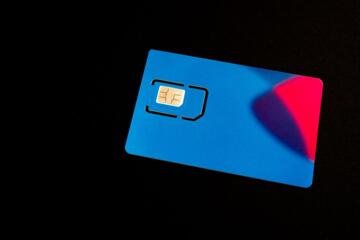
Emergency eSIM Data Basics
Emergency eSIM data is a short-notice mobile data plan delivered as an embedded SIM profile, activated on a compatible phone without a physical SIM card. Business travelers use it when they land without working roaming, lose access to their primary carrier, or need immediate connectivity for navigation, messaging, and work systems.
In practice, the “emergency” part usually means the plan is activated quickly and may be limited by time, data volume, or both. Many travelers activate it from a phone settings screen after scanning a QR code or using an activation link. If your phone model supports eSIM and your operating system version can add new cellular plans, activation tends to be fast, though some carriers still restrict which eSIM profiles can be installed.
For example, a consultant arriving on 2026-11-02 with a dual-SIM iPhone or a recent Android model can often install an eSIM profile in minutes. The same person may hit friction if the device is carrier-locked, the eSIM profile requires a specific APN configuration, or the phone is missing a required software update. That dependency chain matters when deciding who pays, because the “emergency” cost can appear only after troubleshooting time and failed roaming attempts.
Who Pays And Why It Gets Messy
Payment responsibility varies by company policy, travel booking workflow, and the definition of “business expense” in your finance rules. People often assume the traveler pays first and gets reimbursed, but many organizations treat emergency connectivity as a managed travel service with pre-approved vendors.
Common misunderstandings start with the word “emergency.” Some policies treat emergency eSIM data as a replacement for failed roaming, which can fall under standard telecom or travel support. Other policies treat it as an out-of-policy add-on, which triggers reimbursement only if the traveler documents the failure and the business need.
Another frequent issue is that eSIM data is not just a “data card.” It depends on device compatibility, eSIM provisioning, local network coverage, and sometimes the ability to receive SMS or complete an account verification step. If the traveler cannot activate the profile because of device restrictions, the company may still pay for the plan, but the traveler may also need a different fix. That distinction affects both cost control and fairness.
Solutions And Advice
Use A Written Trigger Rule
Define what counts as an emergency trigger before travel. A practical rule is: “If roaming data is unavailable within X hours of arrival, or the traveler cannot connect to required business systems, the traveler may activate an approved emergency eSIM.” Set X based on your typical arrival time and support hours, such as 2 to 4 hours for same-day field work.
To make this auditable, require a short log: arrival time, carrier name, what failed (for example, “no data after roaming enabled”), and the business purpose (“access to email and incident reporting”). Many teams also ask for a screenshot of the roaming status page or a ticket number from the IT helpdesk, which reduces back-and-forth later. I have seen teams use a simple form in Concur or SAP Concur Travel, but the key is the same: a consistent trigger and evidence trail.
Pick One Of Three Payment Models
Most organizations settle into one of three models. Model A: company-paid via pre-approved vendor or corporate card, arranged through the TMC or IT. Model B: traveler pays, then reimburses under a telecom or travel support category with documentation. Model C: hybrid, where the traveler pays for the first short activation and the company covers subsequent renewals after IT confirms the root cause.
Each model has tradeoffs. Model A reduces reimbursement friction but requires vendor management and contract terms. Model B is flexible but increases admin workload and the chance of policy disputes. Model C can work when you expect occasional failures, yet it needs a clear boundary so the traveler does not get stuck funding repeated activations.
For realistic outcomes, teams that move from ad-hoc reimbursement to Model B with a standard evidence checklist often reduce claim cycle time by weeks, because finance can code the expense consistently. Teams that move to Model A can reduce traveler delays, but they may spend more on vendor management and support coordination.
Control Costs With Time And Data Caps
Emergency eSIM plans should have predictable limits. Set a maximum duration and data allowance per incident, such as “up to 24 hours” or “up to 1 to 3 GB,” depending on how your travelers use connectivity. If your work requires video calls, you may need higher caps, but that should be an exception with approval.
Require the traveler to choose the smallest plan that meets the business need. Many eSIM providers offer multiple tiers, and travelers sometimes select the largest tier because it feels safer. That behavior is understandable, but it increases cost and can trigger reimbursement denials if the policy requires “least-cost reasonable” selection.
Also define what happens after the emergency window. If the traveler still lacks connectivity after the initial eSIM period, the company should switch to a longer-term fix, such as a replacement device, a different carrier plan, or a managed roaming escalation.
Align IT, Security, And Device Support
IT should publish a short compatibility checklist. At minimum, confirm that the phone supports eSIM, the OS version can add cellular plans, and the device is not carrier-locked in a way that blocks eSIM provisioning. For example, some Android builds require a specific carrier services component, and some iOS versions handle eSIM profile installation differently. A small internal note like “iOS 17.0+ supports adding eSIM profiles via Settings” can prevent avoidable delays, even if the exact behavior varies by region.
Security controls also matter. If your company uses mobile device management (MDM) with restrictions, the traveler may need IT approval to install a new cellular profile. That approval step can turn a “quick emergency activation” into a longer wait, so the policy should include an escalation path and expected response times.
Finally, confirm that the emergency eSIM can reach required work systems. Some corporate VPN setups behave differently on new networks, and some apps require a stable data connection for authentication. If your IT team knows which apps fail on new networks, they can provide a short troubleshooting script for the traveler.
Case Examples
Consultant With Failed Roaming
A consultant lands in a country where their primary carrier roaming data shows “connected” but no internet access. The traveler activates an approved emergency eSIM plan for 24 hours, uses it to send a status update to the client, and opens a helpdesk ticket within 30 minutes. The company reimburses the traveler under a telecom category because the policy trigger was met and the traveler attached a screenshot of the roaming failure plus the eSIM receipt.
The finance team codes the expense consistently because the policy includes a standard description template. The next trip includes a pre-check that flags the carrier’s roaming performance for that destination, which reduces repeat incidents.
Sales Trip With MDM Restrictions
A sales representative travels with an MDM-managed phone. The representative attempts to install an emergency eSIM but the device blocks profile installation until an IT configuration change is applied. The traveler contacts IT, and IT approves the change remotely, then the representative installs the eSIM and regains connectivity for email and CRM access.
In this scenario, the company pays for the eSIM plan under the corporate model, while the IT team tracks the device restriction as a root cause. The policy update adds a pre-travel compatibility check for that device group, which reduces future delays.
Checklist For Decision Support
| Decision Point | Traveler Pays Then Reimburses | Company Pays Via Approved Vendor | Hybrid With Limits |
|---|---|---|---|
| Best Fit | Low incident frequency | Frequent travel or high urgency | Mixed teams and variable risk |
| Evidence Needed | Receipt, trigger log, screenshot or ticket | Vendor order record, incident ticket reference | Receipt for first activation, IT confirmation for renewals |
| Traveler Friction | Higher upfront cost | Lower upfront cost | Medium upfront cost |
| Finance Workload | Higher review and coding | Lower review, more vendor oversight | Moderate review |
Step-by-step checklist for travelers and admins:
- Confirm the phone supports eSIM and is not blocked by MDM rules.
- Know the emergency trigger in your policy, including the time window and what counts as “unavailable.”
- Choose the smallest plan that meets the business need, then save the receipt and activation confirmation.
- Submit a short incident note with a ticket number or screenshot of the failure.
- After the emergency window, switch to the longer-term fix if connectivity still fails.
Common Mistakes That Cause Denials
Travelers often buy an eSIM plan without documenting the failure of their primary roaming service. Finance then treats the expense as a personal upgrade, especially when the receipt lacks a clear incident description.
Another mistake is selecting a plan tier that exceeds the policy cap. People choose higher data because it feels safer, but reimbursement rules often require the least-cost reasonable option for the stated emergency.
Some teams also forget the device side. If the traveler cannot install the eSIM due to carrier lock or missing OS support, the company may still reimburse the plan purchase, but the traveler loses time and may miss work deadlines. A pre-travel compatibility check reduces that risk.
Finally, policies sometimes omit the handoff between IT and finance. When IT confirms the device issue but finance lacks the coding category or evidence format, claims slow down and travelers get frustrated, which is avoidable with a single template.
FAQ
Can A Company Require Pre-Approval?
Yes, many companies require pre-approval for any connectivity add-on. For true emergencies, policies often include an exception that allows activation first and approval after, with a ticket number and receipt.
Do Receipts Always Need To Show Data Usage?
Not always. Many reimbursement processes accept the eSIM purchase receipt plus activation confirmation, while data usage screenshots help when the policy requires proof that the plan matched the emergency window.
What If The eSIM Won’t Activate?
Activation failures usually require a device and account check. If IT confirms the failure was due to device restrictions or provisioning, the company may cover the cost, but the policy should state how to document the attempt.
Is Emergency eSIM Treated As Telecom Or Travel?
It depends on internal accounting rules. Some organizations code it as telecom expense, others as travel support, and some split it based on whether the traveler used it to replace failed roaming.
How Long Should The Emergency Window Be?
Common policies set a short window such as 24 hours, then require escalation if connectivity still fails. The right duration depends on support hours, typical arrival times, and how quickly your longer-term fix can start.
Author's Insight
Emergency eSIM data sits at the intersection of travel policy, device management, and telecom billing. Payment responsibility becomes clear when the organization defines an emergency trigger, sets data and time caps, and requires a consistent evidence bundle for finance. Device compatibility and MDM restrictions often determine whether the “emergency” plan actually works, so IT needs a role in the policy text, not just in troubleshooting.
For decision-making, the most reliable approach is to choose a payment model that matches your incident frequency and support capacity, then test it with a small group of travelers. A short pilot with a dated policy revision, such as “v1.3 effective 2026-01-15,” can reveal whether travelers understand the trigger and whether finance can code claims without manual exceptions.
Key Takeaways
- Who pays depends on your company’s travel expense policy and how “emergency” is defined.
- Clear trigger rules, evidence requirements, and data/time caps reduce reimbursement disputes.
- Device compatibility and MDM restrictions can turn an emergency plan into a delay, so IT alignment matters.
- Choose a payment model that matches your incident frequency: traveler reimbursement, company-paid vendor, or a hybrid with limits.