In-Flight Power Delivery
In-seat power is no longer a luxury, but its implementation remains frustratingly inconsistent across global fleets. Most wide-body aircraft, such as the Boeing 787 Dreamliner or the Airbus A350, feature "universal" sockets designed to accept US, UK, and Europlugs. However, "universal" is often a misnomer. These sockets are subject to thousands of insertion cycles, leading to internal wear that causes heavy power bricks to fall out mid-flight.
From a technical perspective, aircraft power systems typically deliver 110V AC at 60Hz or 220V at 50Hz, but they are strictly current-limited. Most seat outputs are capped at 75W to 100W. If you attempt to plug in a high-performance gaming laptop that draws 150W, the seat’s circuit breaker will instantly trip, leaving you with zero power. Understanding the interplay between your device’s Draw ($W$) and the cabin’s Supply ($W$) is the first step toward a seamless experience.
A real-world example: On a recent Emirates long-haul flight, the standard Apple 96W USB-C brick repeatedly triggered the safety cutoff. By switching to a dedicated GaN (Gallium Nitride) travel adapter with a lower, more stable output, the connection remained active for the duration of the 14-hour journey. Statistics show that roughly 15% of in-seat power outlets in economy cabins are physically loose or electrically non-functional, making a versatile adapter a mandatory backup.
Costs of Poor Connectivity
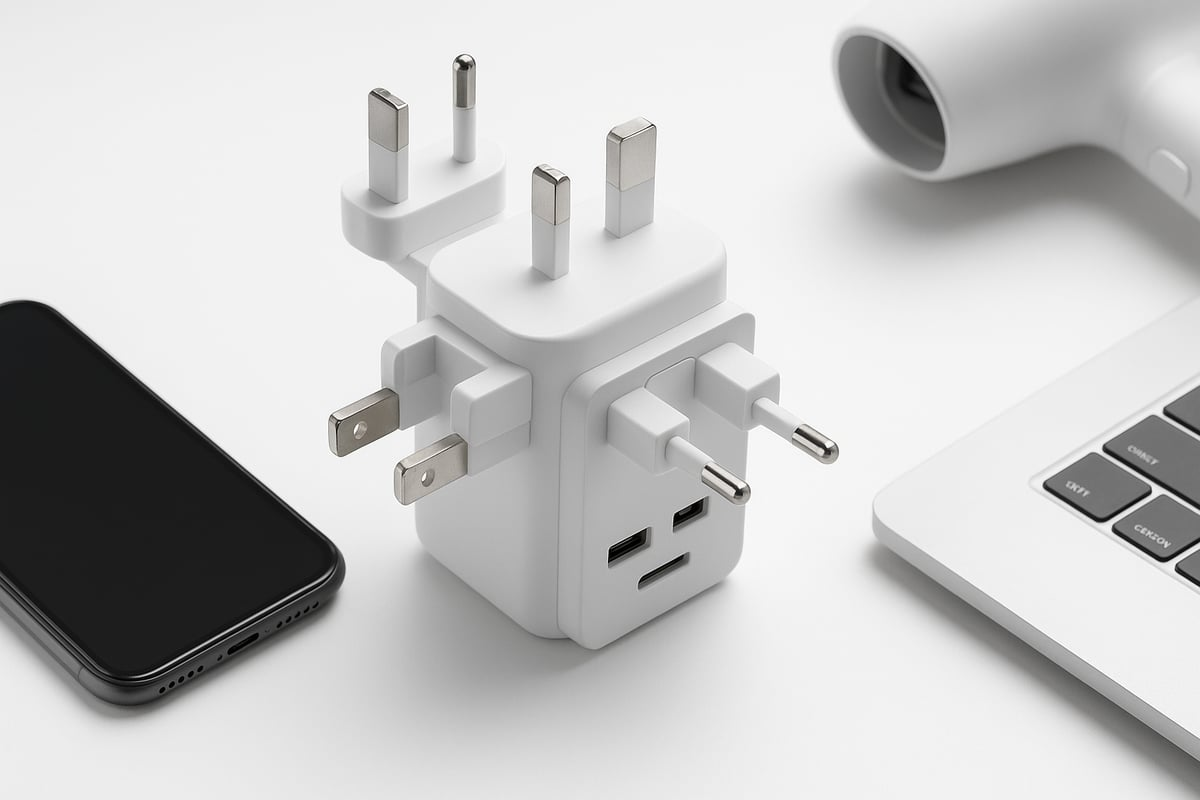
The primary mistake travelers make is relying on cheap, "slider-style" all-in-one adapters found in airport gift shops. these devices often lack grounded connections and feature flimsy internal components that can arc or overheat. When an adapter doesn't fit snugly into a worn aircraft socket, the resulting micro-arcs can cause "pitting" on your device's prongs, eventually leading to permanent hardware damage.
Furthermore, gravity is the enemy of the airborne professional. A heavy laptop charger combined with a bulky adapter creates a lever effect. In a turbulent environment, this weight pulls the assembly out of the socket. If your laptop dies during a critical presentation prep or a long-range communication window, the cost isn't just a dead battery—it’s lost productivity and professional friction.
In some cases, using an uncertified adapter can even trigger a "Ground Fault" warning in the seat's power management system. This doesn't just cut your power; it can sometimes disable the power for the entire row, leading to a very awkward interaction with your seatmates.
Charging Strategies
Compact GaN Integration for Mobility
Using a dedicated 65W or 100W GaN charger like those from Satechi or Anker is often better than using a universal adapter with a brick plugged into it. These devices integrate the plug directly into the charging housing. By reducing the number of physical connections between the wall and the cable, you minimize the "lever" effect that causes chargers to slip out of worn sockets.
Leveraging the Power of International Modular Systems
For those who must use a universal adapter, the OneAdaptr OneWorld series or the Zendure Passport line offers a superior locking mechanism. Unlike cheap sliders, these use a reinforced internal structure that provides a more rigid "bite" on the aircraft's internal socket contacts. This ensures that even in moderate turbulence, the flow of electrons remains steady.
Solving the Grounding Dilemma
Most in-seat power outlets are ungrounded (two-prong). However, many high-end laptops use grounded (three-prong) plugs to reduce "touch current" or that buzzing sensation you feel on a metal laptop chassis. Using a high-quality adapter that can safely bridge these connections without bypassing safety fuses is essential. Look for units with integrated 10A or 13A resettable fuses rather than single-use glass fuses.
Utilizing USB-C Power Delivery (PD) Standards
Instead of converting AC to DC through a bulky brick, the most efficient way to charge in the air is via a high-wattage USB-C PD travel adapter. Brands like Mogics offer a "Bagel" or "Donut" design that provides multiple USB ports and a single AC socket in a ring shape. This distributes the weight of your cables more evenly, preventing the unit from sagging out of the wall.
Managing Low-Wattage Thresholds
If you are flying on older aircraft (like some 777-200s), the power limit might be as low as 60W. In this scenario, using a 100W charger will fail. The solution is to use a "smart" adapter or a cable with an integrated power display. This allows you to monitor the draw and, if necessary, throttle your laptop’s performance (using "Low Power Mode" on macOS or "Battery Saver" on Windows) to keep the draw below the seat's tripping point.
Real-World Scenarios
Case Study 1: The Executive Consultant
A consultant flying London to Singapore on a legacy carrier faced a dead power outlet in Business Class. The heavy OEM laptop charger kept falling out of the loose socket. By switching to a Minix Neo P1 GaN charger coupled with a short 15cm AC extension cord, they moved the weight of the "brick" from the wall to the floor. This "pigtail" method resulted in 100% uptime for the 13-hour flight, allowing for the completion of a 40-slide deck.
Case Study 2: The Digital Nomad
A freelance videographer traveling through South America used a budget "all-in-one" adapter. On a regional flight, the adapter's lack of a surge protector caused a voltage spike to fry the charging circuit of their MacBook Pro. After replacing the gear, they moved to the Zendure Passport III, which features a "press-and-slide" locking system and an auto-resetting fuse. Since the switch, they have reported zero power interruptions across 20+ different airlines.
Essential Features
| Feature | Why It Matters | Expert Recommendation |
|---|---|---|
| GaN Technology | Reduces size and heat dissipation. | Minimum 65W for laptops. |
| Foldable Prongs | Prevents damage to other items in your bag. | Look for reinforced hinges. |
| Auto-Resetting Fuse | Eliminates the need to carry spare fuses. | Essential for 100V-240V range. |
| USB-C PD 3.0 | Ensures fast charging for modern hardware. | At least one 65W+ port. |
| Multiple Port Logic | Distributes power intelligently between devices. | Prioritize "Independent Output." |
| Socket Grip | Keeps the adapter inside worn airplane outlets. | Look for textured or "ribbed" prongs. |
Common Pitfalls to Avoid
One of the most frequent errors is "daisy-chaining" adapters. Plugging a US-to-UK adapter into a UK-to-Euro adapter creates a tower of plastic that will inevitably fall out. Always use a single-stage conversion.
Another oversight is ignoring the heat. Airplane seats are often cramped with poor airflow. High-wattage charging generates heat; if your adapter is tucked under a pillow or blanket, it will thermal-throttle or shut down. Always ensure your adapter has at least an inch of clearance for ventilation.
Lastly, don't assume every USB port in the seat is for charging. Many older USB-A ports in seats provide only 0.5A (2.5W), which is barely enough to keep a modern smartphone from dying, let alone charge it. Always prioritize the AC outlet combined with your own high-quality adapter.
FAQ
Can I use a 100W adapter if the plane only provides 75W?
Yes, but only if your device draws less than 75W at that moment. The adapter's rating is its maximum capacity, not its constant output. Dim your screen and close background apps to stay under the limit.
Why does my adapter spark when I plug it into the seat?
Small sparks (arcing) occur when the prongs make contact with a live circuit. While common in worn sockets, high-quality adapters with "inrush current protection" minimize this.
Are "Universal" adapters safe for hair dryers or kettles?
Generally, no. Most travel adapters are for dual-voltage electronics only. High-draw heating elements require a heavy-duty voltage converter, which is rarely practical for air travel.
What is the best way to fix a loose airplane socket?
The "Expert Trick" is to slightly (and very gently) bend the prongs of your adapter outward to create more tension, or use a small piece of "adapter shim" or even a folded business card to wedge the plug securely.
Do I need a grounded adapter for a MacBook?
While not strictly required for function, a grounded adapter prevents the "static tingle" often felt on the aluminum casing when the plane is using certain power frequencies.
Author's Insight
In my decade of flying over 100,000 miles annually, I’ve learned that the best adapter is actually a "system." I never rely on a single plug. I carry a 65W GaN wall charger and a small 1-foot extension cord. This cord acts as a buffer; the plug at the end is lightweight and stays in the seat, while the heavy charger sits safely in my seat pocket. This "decoupled" approach has never failed me, even on the oldest regional jets in Central Asia.
Summary
Selecting the right power solution for air travel is a balance of physics and electrical specs. To ensure your devices stay powered, prioritize GaN-based chargers with high-wattage USB-C PD ports and avoid bulky, uncertified "all-in-one" blocks. By choosing a compact, high-density adapter from reputable brands like Anker, Satechi, or Zendure, you mitigate the risks of loose sockets and tripped breakers. Invest in a dedicated flight power kit today to transform your next long-haul journey into a productive mobile office.