eSIM Network Lock Detection
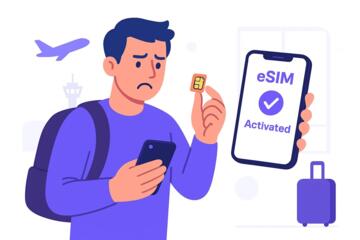
Network lock detection for eSIM means determining whether a phone is restricted to a particular carrier or set of carriers, even when the device supports eSIM. A locked device can still accept an eSIM profile, but activation may fail or the carrier may reject the profile during provisioning. This shows up as errors during QR-code setup, “activation failed,” or a carrier app that never completes registration.
For travelers, the practical risk is wasted time and missed connectivity. For example, a phone bought from one country’s carrier may work with Wi‑Fi calling at home, yet fail to activate a local eSIM abroad. The phone’s hardware can be capable of eSIM, while the carrier policy still blocks the device’s access to certain networks.
Detection depends on multiple layers: the device’s baseband and carrier configuration, the eSIM profile’s rules, and the carrier’s provisioning system. When you see “network locked” language, it usually refers to carrier authorization rather than a physical SIM slot limitation. Some carriers also treat “eSIM capable” and “eSIM activatable on this device” as different checks, which is where confusion starts.
Main Problems And Pain Points
People often treat eSIM support as a single yes/no property, then assume any eSIM plan will activate. In reality, eSIM activation involves carrier-side authorization tied to the device identity and the carrier’s policies. A phone can support eSIM and still be locked to a carrier profile or region.
Another common mistake is relying on a single signal such as a device settings screen. Many phones show “eSIM available” or “add eSIM,” but those screens do not confirm that a specific carrier will accept the device for that plan. Carrier apps may also show generic compatibility text that does not reflect the final provisioning outcome.
Detection can also be misleading when the phone has been refurbished or previously used on a different network. Some devices retain prior carrier configuration until the carrier removes restrictions or the device is fully unlocked. Even then, the carrier’s database may take time to update, and you may see conflicting results across checkers.
Supporting technologies matter. eSIM provisioning uses an embedded secure element and carrier profiles delivered through QR codes or carrier apps. Device identity is typically communicated using identifiers such as the eUICC/ICCID and the phone’s IMEI. Carriers then apply rules based on those identifiers, the device model, and the account history tied to the IMEI.
One small aside from troubleshooting logs: on iPhone, the iOS version can affect how quickly the device reports eSIM status after a failed activation. A user on iOS 17.5 (released May 2024) may see a different sequence of prompts than someone on iOS 16.x, even when the underlying lock status is unchanged.
Solutions And Advice
Run Device And Carrier Checks
Start with the device’s own unlock status and the carrier’s policy. On many phones, you can view whether the device is unlocked in settings, but treat that as a hint, not proof for a specific carrier. Then check with the original carrier or the current carrier’s unlock tool using the IMEI. If the carrier confirms the device is unlocked, ask whether the unlock applies to eSIM activation as well, since some carriers distinguish between voice/SMS unlock and data/eSIM provisioning rules.
If you use a third-party eSIM checker, verify what it actually tests. Some tools check only whether the device model supports the eSIM bands, while others query carrier databases. A checker that reports “compatible” can still fail at activation if the carrier rejects the IMEI for that plan.
Verify eSIM Profile Compatibility
Before purchase, confirm the eSIM plan’s target region and network partner. Many travel eSIMs rely on roaming agreements with specific host networks, and those host networks may apply stricter device acceptance rules. Look for plan documentation that lists supported device types and activation requirements. If the plan uses a carrier app, test whether the app asks for IMEI and whether it blocks locked devices during setup.
When you scan a QR code, watch for the exact error wording. “Profile downloaded” followed by “activation failed” often points to carrier-side authorization rather than a QR-code parsing issue. If the error appears immediately, it may indicate the carrier’s system is rejecting the device identity before provisioning.
A practical method: keep the phone on the same Wi‑Fi network during setup, then retry once with mobile data disabled. That reduces variables like captive portals and DNS filtering, which can cause confusing “network error” messages that are not related to lock status.
Use a Controlled Test Before Travel
Do a short activation test in a low-stakes setting before your trip. If your home country has the same carrier partner as your destination, you can test with a small plan or a trial eSIM. If not, test with any eSIM that uses a carrier you can later reach by support. The goal is to learn whether the device can complete provisioning end-to-end, not just whether it accepts the QR code.
Track the timeline. For example, after a successful unlock request, carrier databases can take days to reflect the change. If you submit an unlock request on 2026-08-01 and test on 2026-08-02, you may still see lock-related activation failures even though the unlock is approved. That delay is frustrating, but it is common enough that you should plan a buffer.
Plan for Support And Fallback Options
When detection results conflict, contact the eSIM provider and the phone’s original carrier with the same set of facts: IMEI, device model, the eSIM profile name, and the exact activation error text. Ask the provider whether they see the device as barred for that plan and whether they can re-provision the profile. If they cannot, a fallback can be a different eSIM provider that uses a different host network partner.
Carry a backup connectivity plan. Many travelers rely on Wi‑Fi for messaging and maps until activation completes. If your phone supports Wi‑Fi calling, test it before leaving home, since it can reduce the impact of delayed activation. Some carriers also support temporary roaming add-ons, but those vary by contract and country.
Case Examples
Scenario 1: Carrier-locked iPhone with eSIM capability. A traveler buys an iPhone from a carrier in their home country. The phone settings show “Add Cellular Plan” for eSIM, but a destination eSIM fails with “activation failed” after the profile downloads. The traveler checks the original carrier’s unlock status using the IMEI and learns the device is still locked. After the carrier unlocks the device and the database update completes, the same eSIM profile activates successfully on the next attempt.
Scenario 2: Unlocked phone, but plan rejects the device. Another traveler has a phone marked as unlocked in settings. They purchase a travel eSIM that uses a specific host network partner. Activation fails with an error that references device eligibility rather than network lock. Support confirms the plan’s partner blocks certain device identities for that region. The traveler switches to a different eSIM provider that uses a different host network and completes activation without changing the phone.
Comparison Table And Checklist
| Check | What It Tells You | What It Does Not Tell You | Best Use |
|---|---|---|---|
| Phone settings unlock status | Whether the device is marked unlocked locally | Whether a specific carrier will accept the IMEI for eSIM provisioning | Quick pre-check before buying |
| Original carrier unlock confirmation | Carrier-side unlock policy for the IMEI | Whether a roaming host network partner blocks the device for that plan | Most reliable for lock status |
| eSIM provider activation test | Whether provisioning completes end-to-end | Whether future plans with different partners will work | Validation before travel |
| Third-party compatibility checker | Model/band compatibility and sometimes database hints | Final carrier eligibility decisions | Triage when you lack carrier access |
Step-by-step checklist for travelers
- Record your phone model, IMEI, and current software version (for example, iOS 17.5 or Android build number).
- Check local unlock status in settings, then request IMEI unlock confirmation from the original carrier if there is any doubt.
- Choose an eSIM plan that states the destination country and the network partner or roaming profile.
- Before leaving home, attempt activation once on Wi‑Fi and note the exact error text if it fails.
- If activation fails, contact support with IMEI, profile name, and the timestamp of the attempt; ask whether the device is barred for that plan.
- Keep a fallback: Wi‑Fi access, Wi‑Fi calling, or a second eSIM provider with a different host network.
Common Mistakes
Buying an eSIM immediately after seeing “eSIM supported” on the phone spec sheet is a frequent failure pattern. That spec confirms the device can host eSIM profiles, not that a carrier will provision them for your IMEI.
Another mistake is ignoring the difference between “unlocked” and “eligible.” A device can be unlocked for voice/SMS roaming but still be rejected by a specific host network partner for that eSIM plan. When support messages mention “eligibility” or “device barred,” treat it as a carrier policy issue rather than a QR-code problem.
People also retry repeatedly without changing anything. If the unlock database update is pending, repeated attempts can waste hours. A better approach is to wait for the carrier’s stated processing window, then test once again.
Finally, travelers sometimes share screenshots without the exact error wording. Error text often contains the reason code or the stage of provisioning that failed. Copy the message exactly, even if it looks unhelpful; it usually narrows the troubleshooting path.
FAQ
How do I tell if my phone is locked?
Check the unlock status in your phone settings, then confirm with the original carrier using your IMEI. Local settings can lag behind carrier databases, so carrier confirmation is the most reliable for lock-related activation issues.
Can an eSIM work on a locked phone?
Some locked devices accept an eSIM profile download but fail during activation because the carrier’s provisioning system rejects the IMEI. The outcome depends on the carrier and the eSIM plan’s host network partner.
What error messages indicate network lock?
Messages that mention device eligibility, barred IMEI, or activation rejected after profile download often point to carrier-side restrictions. “Network error” during QR scanning can be unrelated, such as Wi‑Fi captive portal issues.
Do third-party eSIM checkers detect locks?
Some checkers test model and band compatibility, while others query carrier databases. Verify what the checker claims to test, and treat results as guidance until you see end-to-end activation.
How long after unlocking will eSIM activation work?
Unlock approvals can take time to propagate through carrier systems. Plan a buffer of several days after approval, then test once on Wi‑Fi and record the exact activation outcome.
Author's Insight
Network lock detection for eSIM sits at the intersection of device capability and carrier authorization. Phone settings can confirm eSIM support, but carrier-side provisioning decides whether a specific IMEI can activate a particular profile. The most reliable evidence comes from a carrier unlock confirmation tied to the IMEI and an end-to-end activation attempt with the exact eSIM plan you plan to use.
When results conflict, the mismatch usually comes from different layers: local unlock status, carrier database propagation delays, or host network partner eligibility rules. Treat activation errors as structured clues by copying the exact wording and noting the stage where setup fails.
If you want a practical workflow, test before travel on Wi‑Fi, keep a fallback connectivity plan, and contact support with IMEI and the profile name. That approach reduces guesswork and avoids last-minute troubleshooting.
Key Takeaways
- eSIM support on a phone does not guarantee that a specific eSIM plan will activate.
- Network lock detection relies on carrier-side authorization for your IMEI, not only on device settings.
- Activation errors after profile download often indicate eligibility or provisioning rules rather than QR-code issues.
- Test on Wi‑Fi before travel, record exact error text, and keep a fallback plan for connectivity.