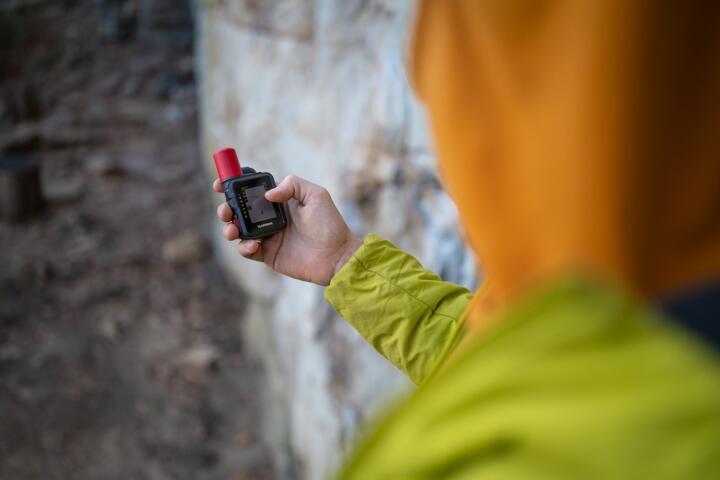
Off-Grid Connectivity
Satellite messengers, such as those operating on the Iridium or Globalstar networks, are not "set and forget" tools. They are complex transceivers that rely on a clear line of sight to a constellation of moving satellites. Unlike a smartphone that pings a stationary tower, a satellite device must handshake with a bird traveling at 17,000 mph roughly 485 miles above the Earth.
In practice, a device might show "full bars" but fail to transmit because of an outdated firmware handshake or an expired credit card on the billing portal. I’ve seen hikers carry a Garmin inReach Mini 2 for an entire week in the High Sierra, only to realize at the summit that their SOS feature was deactivated because they missed a subscription renewal email. In 2023, search and rescue data indicated that nearly 15% of satellite-related delays in emergency response were attributed to user configuration errors or inactive accounts.
Off-Grid Failure Points
The most common mistake is "The Backyard Fallacy"—testing the device once on a clear patio and assuming it will work in a deep canyon. This ignores the Link Budget, or the accounting of all gains and losses from the transmitter to the receiver. Dense foliage can attenuate a signal by as much as 10–20 dB, which is often enough to prevent a message from leaving the device.
Another pain point is the "Firmware Freeze." Manufacturers like Zoleo or Spot frequently release patches to optimize satellite acquisition times. If you haven't synced your device in six months, you may face a "forced update" lockout just as you lose Wi-Fi. This leads to a bricked device precisely when you need it.
In 2022, a solo traveler in the Yukon triggered an SOS on an older Spot Gen3. The message failed because the alkaline batteries, while showing "Good," couldn't provide the high-current burst required for a satellite transmission in -20°C temperatures. They survived, but the rescue was delayed by 14 hours because they relied on a battery indicator rather than a live transmission test under load.
Testing Protocols
1. The Dynamic Transmission Verification
Do not settle for a "Test Message" sent from your driveway. To truly verify the antenna's health, perform a "Live Tracking" test while moving through varied terrain. Start the tracking mode on your Garmin or Motorola Defy Satellite Link and walk through a wooded area.
- Why it works: This tests the device's ability to maintain a signal lock while the sky view changes.
- The Goal: Ensure at least three consecutive track points appear on your web map without gaps longer than 10 minutes.
2. Cross-Platform App Integration Sync
Modern messengers rely heavily on Bluetooth-paired apps like Garmin Messenger or the Zoleo App. The failure point is often the handshake between the phone's OS and the device.
- Procedure: Turn off your phone’s cellular data and Wi-Fi to simulate a "Blackout." Send a message via the app.
- Result: This confirms the app isn't cheating by using your home Wi-Fi and forces the data through the satellite hardware.
3. Battery Stress Test in Thermal Extremes
Satellite transmissions are power-intensive. A battery that looks healthy at 20°C might plummet to zero at 0°C.
- The Method: Place your device in the refrigerator for two hours, then attempt to send three long messages.
- Infrastructure: If using a device with AA/AAA batteries, only use Lithium (Energizer Ultimate). They maintain a flat discharge curve, providing consistent voltage until the very end.
4. Contact and SOS Portal Validation
Your device is only as good as the data sitting in the IERCC (International Emergency Response Coordination Center) database.
- The Action: Log into your web portal (e.g., Garmin Explore or the Spot My Account). Update your "Emergency Contacts" and "Notes."
- Pro Tip: Add your specific vehicle make/model and your blood type to the "Notes to Rescuers" field. This data is transmitted to SAR during an SOS.
5. Inbound Message Confirmation
Many users forget that communication is a two-way street. A device might send but fail to receive if the polling interval is set too high or the "Listen" mode is disabled to save battery.
- Testing: Have a friend send a message back to you. Note how long it takes to arrive. On the Iridium network, this should happen within 2–5 minutes if you have a clear sky.
Field Case Studies
Case Study A: The Alpine Expedition Group
A group of four climbers in the North Cascades utilized two Garmin inReach devices. During their pre-trip "shakedown," they discovered that one device had a corrupted contact list that didn't sync from the web portal.
- Action: They performed a factory reset and a manual "Sync via USB."
- Result: During a minor injury on Day 3, they successfully messaged a private transport service. The fix saved them from a 12-mile hike on a sprained ankle, reducing evacuation time by 8 hours.
Case Study B: The Solo Kayaker
A sea kayaker in Baja used a Spot X. Before launching, he conducted a "Cold Start" test—turning the device on for the first time in a new geography. He found it took 18 minutes to acquire a GPS fix because the "Almanac" data was outdated.
- Action: He allowed the device to sit under an open sky for 30 minutes to download a fresh GPS almanac.
- Result: When he hit a squall later that day, his tracking was already active and accurate to within 3 meters, allowing his shore contact to monitor his safe arrival in a cove.
Pre-Departure Checklist
| Component | Task | Validation Criteria |
|---|---|---|
| Subscription | Check Portal | Payment confirmed; status Active. |
| Firmware | USB Sync | Software confirms "Up to Date". |
| Messaging | Send 3 Tests | Verify receipt on SMS and MapShare. |
| Hardware | Physical Check | SOS guard and charging port intact. |
Technical Pitfalls
Relying on the "Signal Strength" Meter
The bars on your screen are often delayed. A device might show 4 bars because it saw a satellite 30 seconds ago, even if you just walked behind a granite wall. Always wait for the "Message Sent" confirmation icon before moving.
Ignoring the "View of the Southern Sky" (For Globalstar)
If you are using a Spot device in the Northern Hemisphere, your satellites are primarily to the South. Testing on the North side of a steep mountain will result in failure. Know which constellation your device uses (Iridium is pole-to-pole; Globalstar is inclined).
Overlooking the "Mailbox" Quota
Some basic plans only allow 10 messages a month. If you use 9 during your "test," you’re left with one for your trip. Always check your remaining balance after testing.
Bluetooth Interference
Testing your device while it sits next to a running microwave or a high-powered Wi-Fi router can cause pairing drops. Test in an electronically "quiet" environment to ensure the Bluetooth link is stable.
FAQ
Can I test the SOS button without calling the police?
No. Do not press the SOS button unless there is a life-threatening emergency. However, you can contact the IERCC (now part of Garmin) or your service provider to schedule a "Test SOS" in some cases. Usually, a standard "Test Message" validates the transmitter is working.
How often should I update my device's firmware?
At least once every three months, and always 72 hours before a major trip. This allows time to troubleshoot if the update fails.
Do I need a clear line of sight to the horizon?
Ideally, yes. Satellite messengers work best with a 360-degree view of the sky. In deep canyons, you may need to wait for a satellite to pass directly overhead, which can take 15–20 minutes.
Will my device work through a tent or backpack?
Light nylon fabric usually doesn't block the signal, but moisture (rain/snow) on the tent fabric will. For best results, clip the device to the top of your pack, not inside it.
What is the difference between Iridium and Globalstar for testing?
Iridium (Garmin, Zoleo) has a more robust global mesh. If your test message fails on Iridium, it's likely a local obstruction. Globalstar (Spot) may have "coverage gaps" depending on your latitude, so check their specific coverage map before testing.
Author's Insight
In my fifteen years of backcountry navigation, I have learned that a satellite messenger is a "system," not a "gadget." I once spent a night in the wind-scoured Nevada desert because a client’s device hadn't been "provisioned" correctly by the carrier, despite the screen saying "Ready." My rule is simple: if you haven't received a reply on the device while standing in a location similar to your destination, the device does not exist. Always carry a secondary signaling method, like a signal mirror or a whistle, because electronics are the first thing to fail when the weather turns.
Summary
Testing your satellite messenger is a multi-step process that involves verifying the subscription, updating the internal software, and performing live transmission checks in challenging environments. By simulating real-world conditions—such as cold weather and restricted sky views—you ensure that the device will perform when communication is no longer a luxury, but a necessity. Complete your testing at least three days before departure to allow for troubleshooting or plan upgrades. High-level preparedness is the only way to guarantee that your "help" signal actually reaches the world.